Trip activation
Activate your trip with an individual access code
After installing the app, activate your trip using the individual access code provided by the organiser. The code may be sent by email or by email and SMS, depending on the organiser’s communication settings.
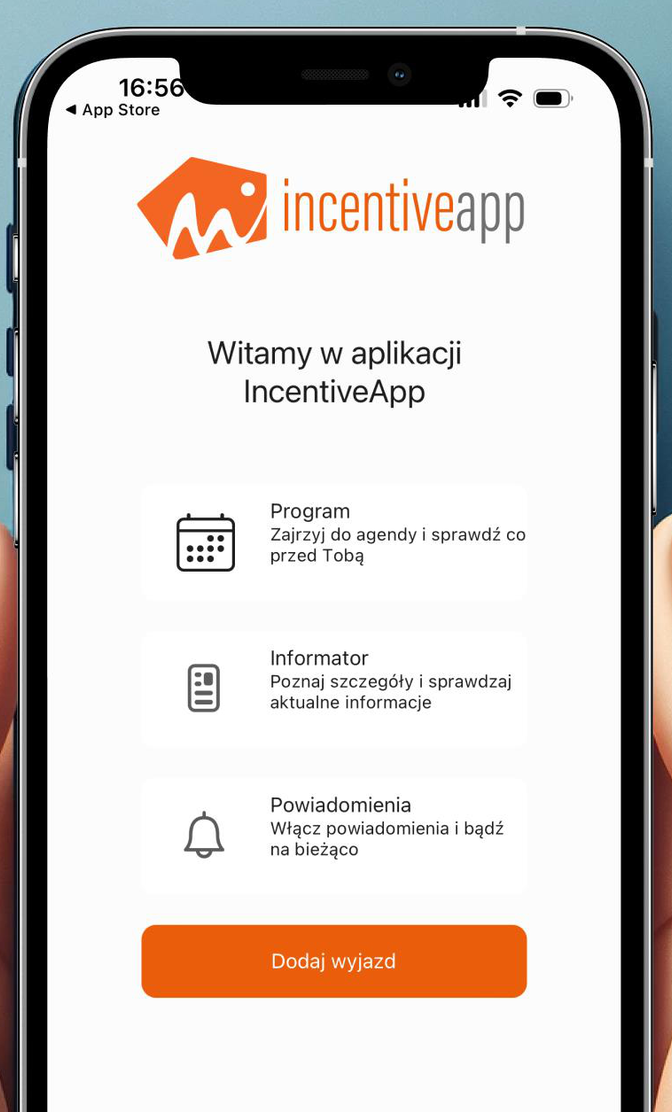
Step 1. Open the app
Open IncentiveApp on your phone and tap “Add trip”.
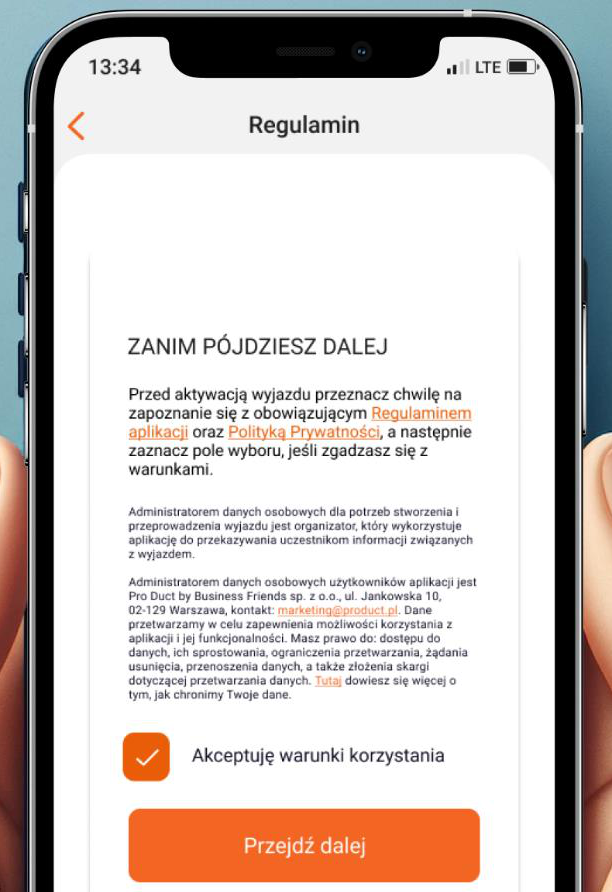
Step 2. Read the terms and privacy policy
Before activating the trip, the app will ask you to read the terms of use and privacy policy.
To continue, accept the required terms and tap “Continue”.
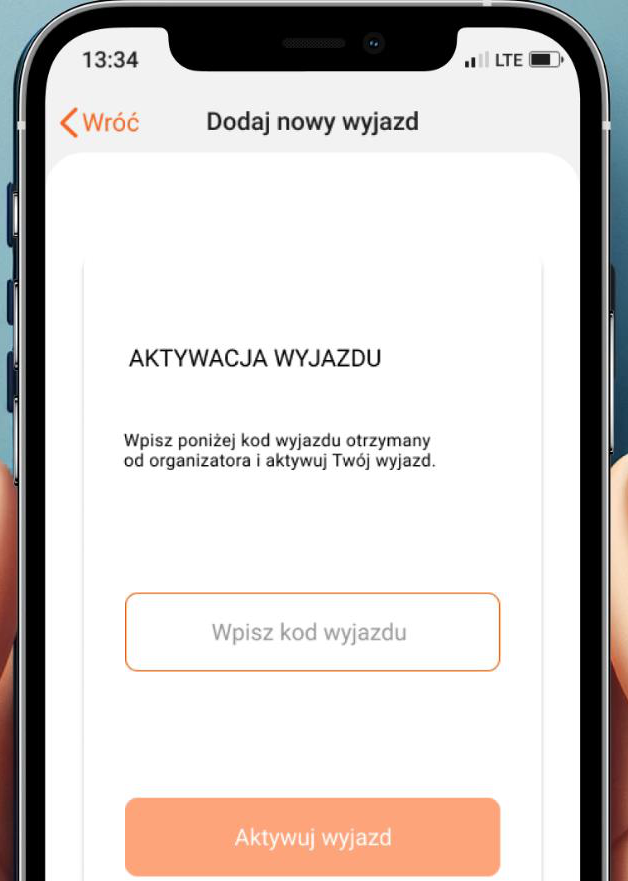
Step 3. Enter your access code
Enter the access code you received from the organiser.
Your access code is individual
Do not share your access code with other people. One code should be used by one participant only.
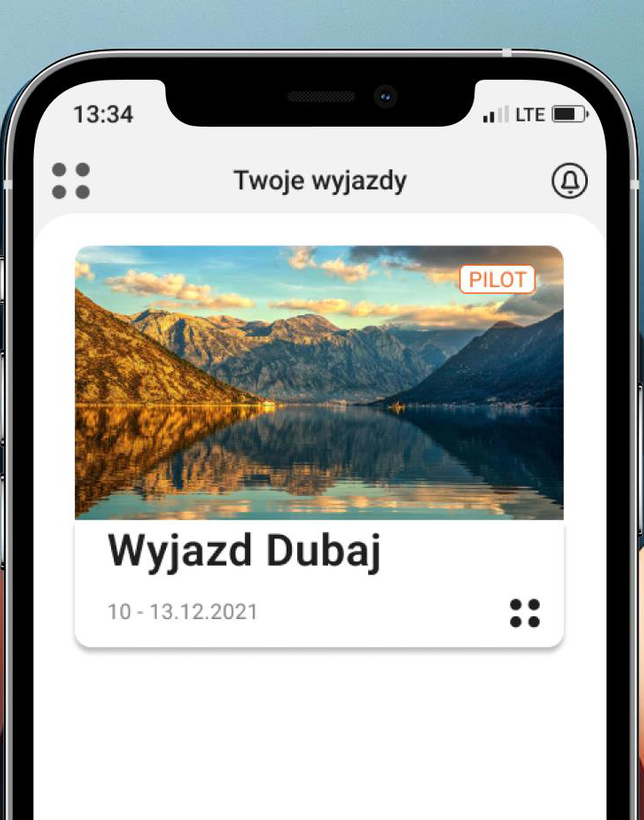
Step 4. Open your trip
After successful activation, the trip will appear in the “Your trips” section.
Can’t see your trip after entering the code?
First, check that the code was entered exactly as shown in the message from the organiser. Pay attention to uppercase and lowercase letters and any extra spaces.
- Close the app running in the background and open it again.
- Check your Internet connection.
- Make sure you are using the latest version of the app.
- Try entering the access code again.
If the issue continues, contact the trip organiser. The organiser can check whether the code has been correctly assigned and sent.